
Do the work once. Hand it over as a workflow.
A desktop agent that reads your project and executes the task. Save the successfully executed set of tasks as a workflow, then run it again in one command or send it to your team.
Get Blade macOS · Windows · Linux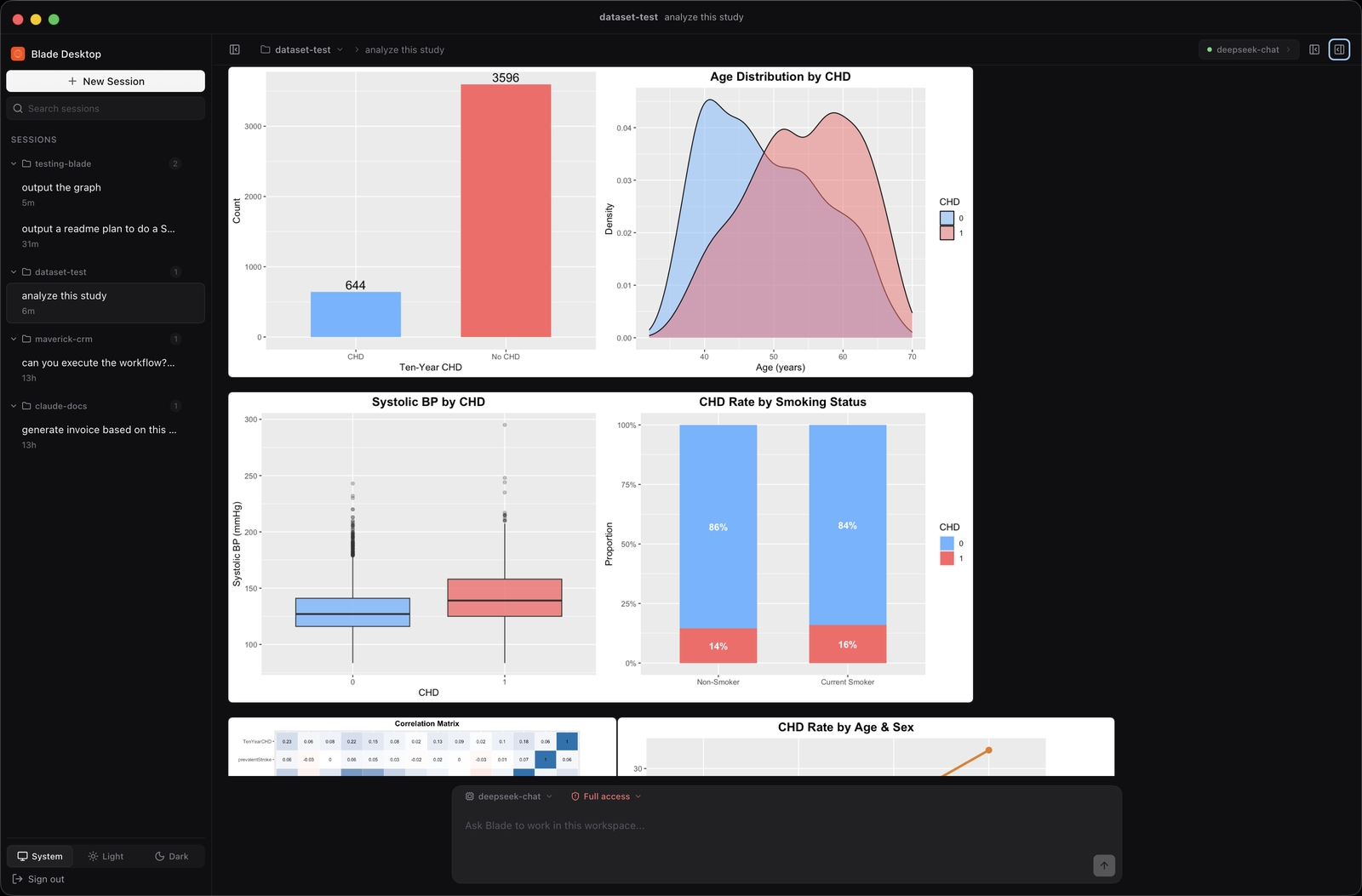
A session becomes a workflow
Blade writes it for you from the session: the goal, the working script, an example of the output. None of the dead ends.
Run it again on today's files
A workflow is a prompt plus its files. Run it and the agent redoes the work on whatever is in the folder now. A renamed column does not break it.
Share it as a single file
Export a workflow as one .bladeworkflow file. Anyone with
Blade imports it and has your process.
Plain files, in your project
Workflows live in .blade/workflows/. Commit them, edit them,
review them like any other code.
Your machine, your tools
Everything runs locally, on the Python, R and shell you already have. Blade asks before it writes or runs anything.
Doing statistics?
Blade does that too. Ask in plain language, get real R behind every number.
See the statistics page →Get Blade
Version 0.2.20, beta
Blade Pro
Unlimited, private, local statistical analysis with AI. Cancel anytime.
Prefer to try first? Download free below — no account needed.
Or download free to try:
macOS: signed and notarized by PT Skala Teknologi Nusantara, so it opens normally. Windows: not signed yet, so SmartScreen warns once. Click More info, then Run anyway. Linux is not published yet.